Workflows
Adding users
Task: A new user (be it a team member, an author or an association manager) should be added to the system.
Note
Never assign
Administratorprivileges via the corresponding role, because this bypasses all permission checking.New users could only be added when
ChieforAdministratorprivileges are available.Never add
Profilesmanually! When adding a new user instance, a correspondingProfilePagegets created automatically.Set the corresponding
Rolesfor the memberships set via the checkboxes (see below) for a user. The checkboxes are responsible for notifications and generation of profile pages, the roles define the rights in the system.
Fill out the form:
Use the email address for the username and email field
Set the checkboxes if the user is
an author
a team member - if team member: in addition set the correct team role in the drop down field
an association manager
Do not set an initial password. The user will have to set a new password via the “Reset password” function before his or her first login.
Set the correct roles in the second step of the form.
Click the button “Add user”
That’s it.
The new user will get notified by email about her/his new account, this email will contain a link to the “Password reset” function. Using this “Password reset” the user has to set a new, unique password only know to her/him. After this step, the new user could sign in at the eucrim backend.
Automating
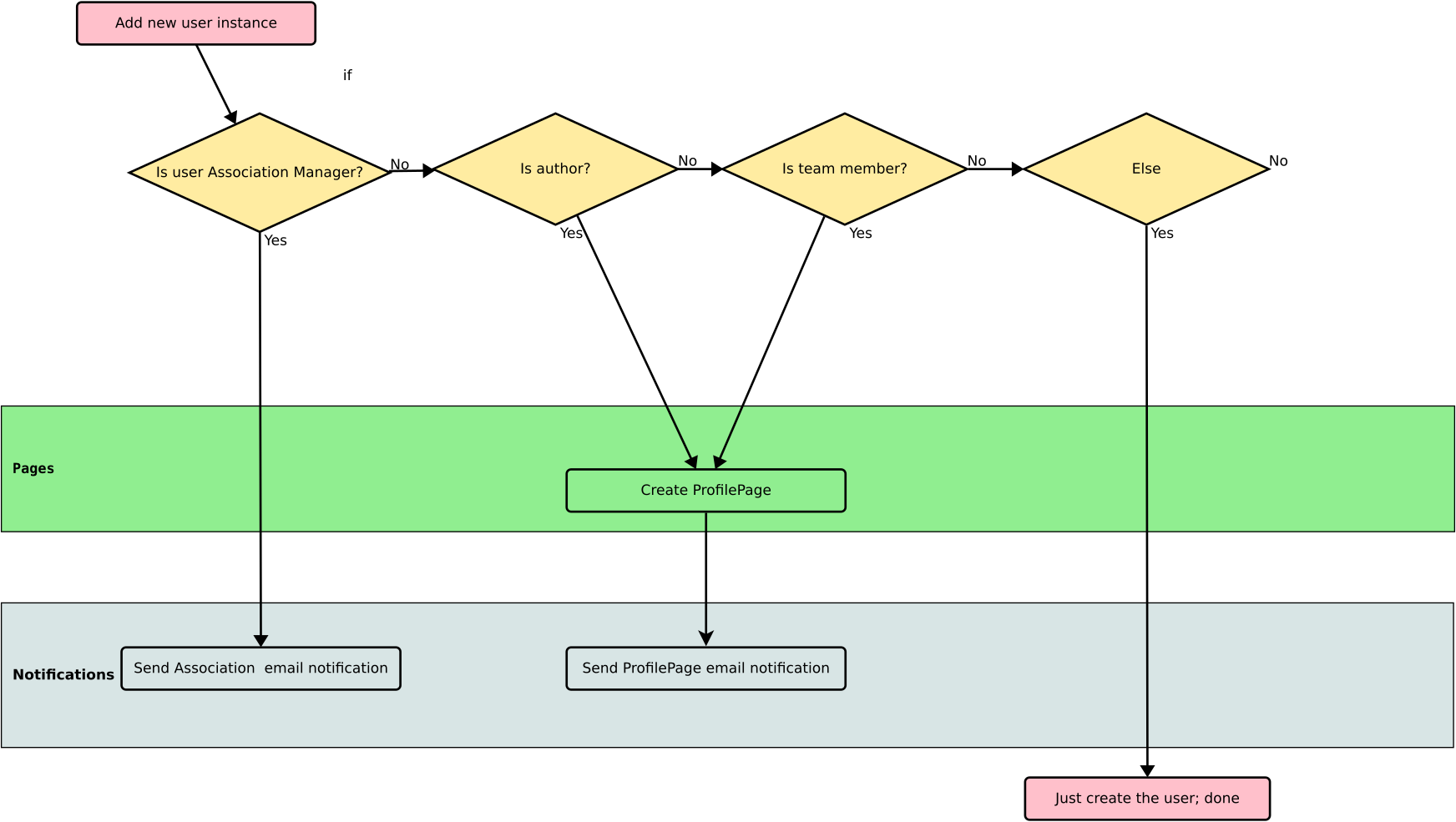
What happens when a new user instance is added:
Add a new user (see above)
New user is…
Team member: Profile page created, no email notification
Author: Profile page created, no email notification
Association manager: No profile page, Email notification
Deleting users
There are two ways of disabling the ability for a user to sign in to the eucrim backend:
Deleting the user instance via “Settings > Users”.
Setting the user instance as “Not active” via uncheking the checkbox “Active” in the “Settings > Users”.
Note
Deleting a user or setting her/him as not active does not delete the corresponding ProfilePage. The profile of the deleted user will be displayed on the eucrim website (as an author, team member etc.).
Automtation
When adding and/or editing users, some tasks will fire automatically. These tasks are described here.